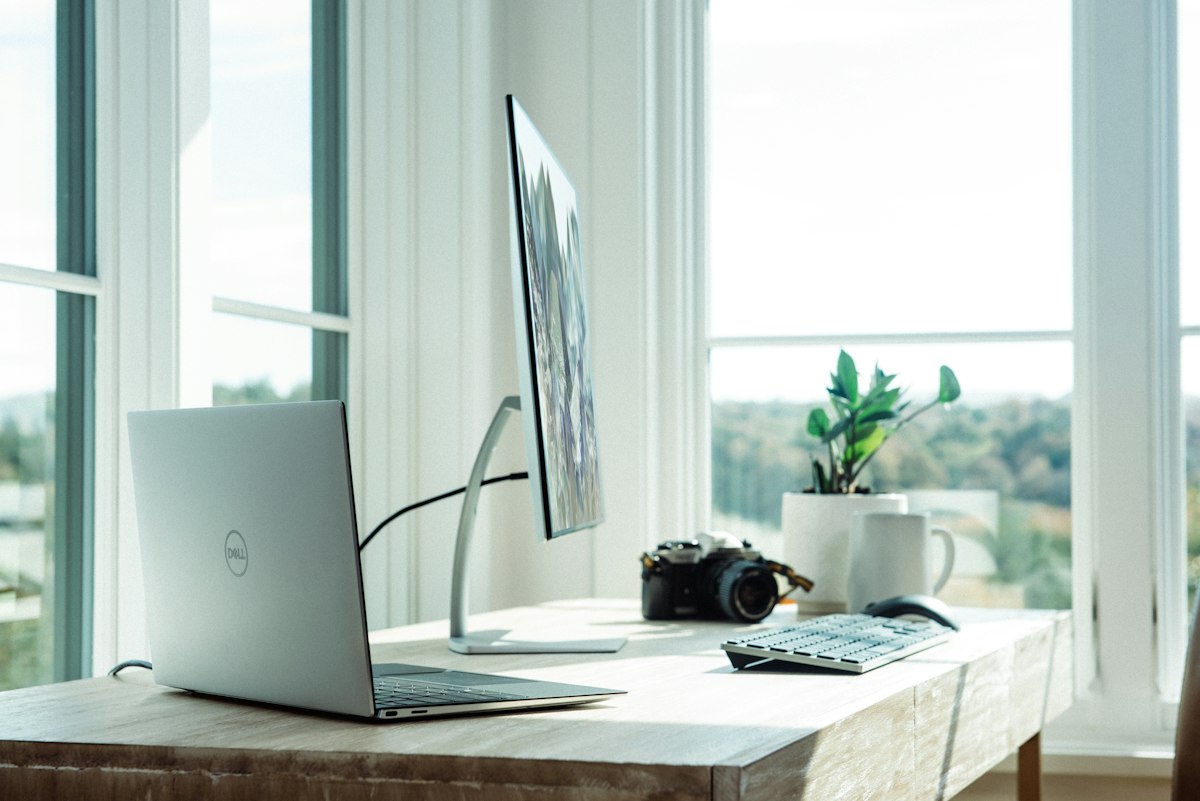
A useful home office setup fits your work tasks, body, lighting, and household routine. Choose a location you can use consistently, position equipment so you can work comfortably, and keep frequently used items within easy reach. Review the whole workstation with OSHA guidance instead of relying on one ergonomic product.
A home office needs to work during an ordinary Tuesday, not just in a photograph. Before choosing a desk, consider how many hours you sit, whether you use paper, and what happens around you during calls. A thoughtful setup can fit in a spare room or a living-room corner, but it starts with your work habits.
Choose the location around interruptions
Try the proposed spot during your busiest work hours. Listen for kitchen noise, traffic, and household activity. Check the view behind you on a video call and the light on your screen. A beautiful window directly behind a monitor can make the setup uncomfortable if glare is difficult to control.
If the desk shares a room, create a simple end-of-day routine. A drawer for the laptop and a box for current papers may be enough to return the space to home life. Leave work equipment accessible enough that setting up does not become a daily obstacle.
Fit the equipment to your body
Start with an adjustable chair and a desk surface that lets you use the keyboard comfortably. Keep frequently used items close rather than repeatedly reaching across the desk. For extended laptop work, an external keyboard and pointing device can let you position the screen separately from your hands.
OSHA’s workstation checklist recommends keeping the primary monitor in front of you, elbows close to the body, and a setup that allows changes in posture. Use its checklist to review the whole arrangement rather than buying one “ergonomic” product and assuming the problem is solved.
Give light and sound separate attention
Use a task lamp where you need focused light on paper. Position it so reflections do not obscure the screen. Window coverings can help you adjust daylight through the day without keeping the room dark all afternoon.
A rug, curtains, and upholstered furniture may make a hard-surfaced room feel less echoey, but they will not soundproof a shared wall. If confidential calls or frequent meetings are central to your work, prioritize a room with a door and a household schedule that supports quiet time.
Organize around the next task
Keep active materials at the desk and archive the rest elsewhere. Route cables so they do not cross walkways or pull on connections. Before ordering drawers, check legroom and whether you can still turn the chair comfortably.
Test the setup for a week, then adjust one problem at a time. A desk that looks slightly less styled but leaves room for your actual tools is usually the better office.
Choose between a dedicated office and a shared room
A separate room provides a door and a place to leave work materials in position. A shared living area may offer better daylight or more space, but it requires a clearer routine for calls and storage. Start with your workday rather than assuming that the spare room is automatically the best office. Test the proposed location while the rest of the household is active.
List your recurring tasks: focused screen work, video meetings, reading printed material, or handling samples. Note which tasks can share a surface and which need their own place. Someone who uses large paper drawings has different requirements from someone who works entirely on a laptop. A fashionable narrow desk can be a poor choice if the actual work spreads across its edges.
For a shared room, decide what needs to disappear at the end of the day. A dedicated shelf or drawer for the computer and documents may be enough. Avoid elaborate storage systems that require several minutes of unpacking before every work session. The transition should be simple enough to maintain on a busy evening.
Measure your equipment before buying a desk
Record the footprint of the monitor stand, keyboard, pointing device, lamp, and anything else that stays on the work surface. Include room for the task you do next, such as writing notes beside the keyboard. Measure the available legroom and check how drawers or support rails affect the space underneath. Overall desk width does not describe the usable workstation by itself.
Compare the desk and chair together. A desk that seems appropriate in a showroom may not work with the chair you own or the equipment you use. If you are considering adjustable furniture, review its adjustment range and how it operates with the intended load. Product descriptions should answer practical questions, not just promise comfort through an ergonomic label.
For laptop users, separating screen placement from typing position can make the arrangement easier to adjust. An external keyboard and pointing device give you more flexibility, but the complete setup still needs to fit you. OSHA’s checklist is a useful review tool for monitor placement, input devices, seating, and work habits. It does not mean every person should buy identical equipment.
Make video meetings and focused work coexist
Inspect the background visible during calls before adding shelves or decorative objects. Keep personal papers out of view and choose a camera position that does not expose areas you would rather keep private. Test the microphone during ordinary household noise. A visually attractive room is not necessarily a workable place for a confidential conversation.
For light, start with the screen and the tasks around it. Check reflections at the times you normally work. Window coverings and a movable task lamp may offer more control than adding a brighter ceiling fixture. If you rearrange the desk, repeat the check; a small change in orientation can alter both glare and the background seen on camera.
Frequently asked questions about home office setups
### Do I need a large desk? You need enough usable surface for your regular tasks and equipment. Measure those first. A compact desk may work well for a simple computer setup, while paper-heavy work may require a larger surface or a separate place for materials. Avoid buying size without understanding what occupies it.
Is a dining chair enough for working from home?
That depends on the chair, the work surface, and how you use them. Review the complete workstation for fit and adjustability rather than judging the chair in isolation. For sustained work, a setup that supports comfortable positioning and changes in posture deserves priority over appearance.
How can I keep cables tidy without rebuilding the room?
Start by removing cables you no longer use, then plan routes that stay out of walking areas and allow equipment to move as intended. Use accessories according to their instructions and keep connections accessible. Do not hide a tangle so thoroughly that troubleshooting requires dismantling the desk.
Test before declaring the office finished
Use the arrangement through several full workdays and record specific friction: a reflection during afternoon calls, supplies just beyond reach, or a drawer that hits the chair. Change one problem at a time so you can tell what helped. A successful home office supports repeatable work and an easy transition back to home life.